

Construction Compliance Documentation Best Practices for Texas Contractors
Quick Answer
Construction compliance documentation becomes difficult to manage when records are stored across emails, paper files, and disconnected systems. Best practices include standardizing documentation, centralizing approvals, maintaining audit trails, and digitizing workflows. Digital document systems help Texas contractors stay audit-ready, reduce risk, and simplify project closeouts by keeping all compliance records in one place.
Key Takeaways
- Compliance issues often come from disorganized documentation, not missing work.
- Construction projects generate large volumes of regulatory and safety paperwork.
- Centralized document control reduces audit risk and improves closeouts.
- Standardized workflows ensure consistency across all job sites.
- Digital approvals create secure, traceable records for every document.
Compliance Doesn’t Fail on the Job Site. It Fails in the Paperwork.
Construction teams focus heavily on execution—materials, labor, scheduling, and delivery.
But compliance issues rarely come from what happens in the field.
They come from what happens after the work is done.
Missing signatures, incomplete safety forms, misplaced inspection reports, and inconsistent documentation practices can all create serious challenges during audits, claims, or project closeouts.
For many Texas contractors, compliance documentation is still managed through a mix of email threads, shared drives, printed binders, and manual filing systems.
The result is simple:
When information is scattered, risk increases.
What Is Construction Compliance Documentation?
Construction compliance documentation refers to all records required to prove that a project meets legal, regulatory, safety, and contractual obligations.
These documents may include:
- Safety training records
- Jobsite safety acknowledgments
- Inspection reports
- Permits and approvals
- Change orders
- RFIs (Requests for Information)
- Insurance certificates
- Subcontractor agreements
- Incident reports
- Project closeout documentation
Each document plays a role in demonstrating that work was completed correctly and in accordance with regulations and contract requirements.
Why Compliance Documentation Becomes a Risk Area
Most construction companies don’t struggle because documents don’t exist.
They struggle because documents are not consistently managed.
Documents Are Stored in Too Many Places
Compliance records are often scattered across:
- Email inboxes
- Shared drives
- Paper folders
- Personal desktops
- Project management tools
When an audit or claim arises, teams must manually search across multiple systems to reconstruct a complete record.
Inconsistent Documentation Across Projects
Different project managers often follow different processes.
One job site may maintain complete records.
Another may miss key approvals or safety acknowledgments.
This inconsistency creates unnecessary risk exposure across the organization.
Missing Audit Trails
Without a clear approval history, it becomes difficult to prove:
- Who approved a document
- When it was signed
- Which version was final
- Whether all required steps were completed
This can slow down audits or create compliance disputes.
Project Closeouts Become Time-Consuming
At the end of a project, teams often scramble to gather missing documents.
This can delay:
- Final billing
- Owner handover
- Warranty documentation
- Contract closure
What should be a routine process becomes a last-minute administrative effort.

Why This Matters for Texas Contractors
Texas continues to be one of the most active construction markets in the United States, spanning commercial, industrial, energy, infrastructure, and residential development.
With that level of activity comes increased regulatory oversight, client expectations, and documentation requirements.
Contractors managing multiple projects across cities like Austin, Dallas, Houston, and San Antonio must maintain consistent compliance practices across all job sites.
For mid-market construction companies, the challenge is not just completing projects—it’s maintaining documentation standards at scale.
What Good Compliance Documentation Looks Like
Strong compliance systems are not complicated—they are consistent.
| Manual Compliance | Digital Compliance |
| Paper storage | Centralized digital records |
| Email approvals | Automated workflows |
| Manual filing | Searchable document systems |
| Missing audit trails | Full approval history |
| End-of-project cleanup | Continuous documentation |
Instead of scrambling at project closeout, teams maintain organized records throughout the entire project lifecycle.
Best Practices for Construction Compliance Documentation
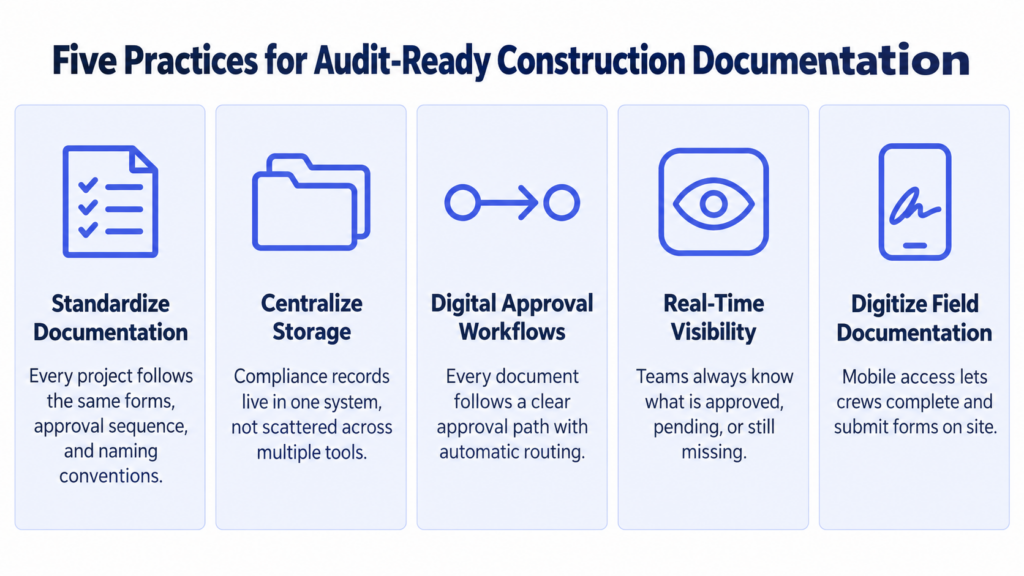
1. Standardize Documentation Across All Projects
Every project should follow the same documentation structure.
This includes:
- Required forms
- Approval sequences
- Naming conventions
- Storage location
Standardization reduces confusion and ensures consistency across teams.
2. Centralize Document Storage
Compliance records should live in one system—not across multiple tools.
A centralized system ensures:
- Easier retrieval
- Better visibility
- Reduced duplication
- Faster audits
3. Use Digital Approval Workflows
Every compliance document should have a clear approval path.
Digital workflows ensure:
- No missing signatures
- Automatic routing
- Real-time tracking
- Complete audit trails
4. Maintain Real-Time Visibility
Project teams should always know:
- What is approved
- What is pending
- What is missing
- What requires action
Visibility reduces delays and improves accountability.
5. Digitize Field Documentation
Many compliance documents originate in the field.
Mobile access ensures:
- Faster completion
- Fewer missing forms
- Immediate submission
- Reduced paperwork errors
How DottedSign Supports Compliance Documentation
Construction compliance requires more than storage—it requires structured workflows that ensure documents are completed correctly and on time.
DottedSign helps Texas construction teams:
- Route compliance documents automatically for approval
- Collect secure electronic signatures from all stakeholders
- Maintain complete audit trails for every document
- Track document status in real time
- Store completed records in a centralized system
- Enable mobile approvals from job sites or offices
Instead of managing compliance reactively at project closeout, teams maintain organized records throughout the entire project lifecycle.
For contractors using ERP systems, project management tools, or internal platforms, DottedSign’s API can integrate approval workflows directly into existing systems, improving consistency without changing established processes.
Frequently Asked Questions
Construction compliance documentation includes all records required to prove that a project meets legal, regulatory, safety, and contractual requirements, such as inspections, safety records, permits, and signed agreements.
It ensures that contractors can demonstrate regulatory compliance, reduce legal risk, support audits, and complete project closeouts efficiently.
Missing documentation can delay audits, project closeouts, final payments, and may expose contractors to legal or financial risk.
Yes. Digital workflows centralize documents, create audit trails, and ensure that approvals are completed consistently across all projects.
Compliance Is a Process, Not a File Cabinet
Strong construction companies don’t treat compliance as something they fix at the end of a project.
They treat it as a continuous workflow.
When documentation is standardized, centralized, and digitized, compliance becomes part of daily operations—not a last-minute scramble.
By replacing manual documentation processes with digital workflows, Texas contractors can reduce risk, improve visibility, and ensure every project is ready for audit at any time.
Ready to Strengthen Your Construction Compliance Process?
DottedSign helps Texas construction teams manage compliance documentation through secure digital workflows. From safety records and inspections to approvals and project closeouts, teams can route, track, and store every document in one centralized system—reducing risk and improving operational control across every project.